How to judge Rumpelstiltskin AI video examples before buying
Last updated:
A useful Rumpelstiltskin AI example shows its input photo and the complete moving result. Check the dancer’s face in both close-ups and wide shots, then inspect the reaction, footwork and sound. The two public examples below use fictional adults; they illustrate the workflow, not a guarantee that every uploaded photo produces equal likeness.
Start with the actual reference photos
Compare an example with the photograph it actually used, not with a caption saying the result is personalized. Look for visible identity features such as the face outline, hair, eyebrows and facial hair. Lighting and a performed expression can change how those features look, so a perfect pixel match is not the test. The practical question is whether the same identity remains recognizable while the actor turns, gestures and moves farther from the camera.
Our existing gallery contains a solo example with one fictional adult input and a duo example with two fictional adult inputs. These are reused here as evidence for the checks, not presented as additional successful generations. They are not customer portraits. In the duo example, the first photo identifies the little dancer and the second identifies the seated woman. Do not infer an expected result for your own photo from a different input whose face, framing or sharpness is easier for the model to interpret.
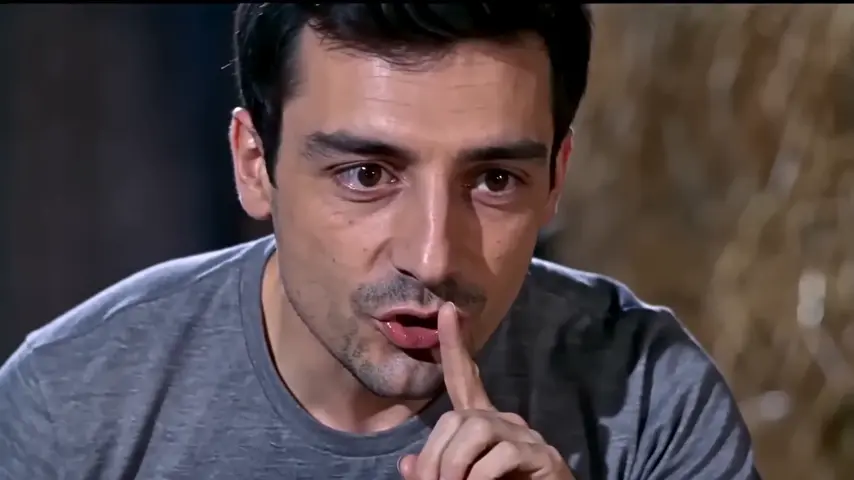
Just me — one photo
One adult photo replaces the little dancer. The maiden keeps her original look.

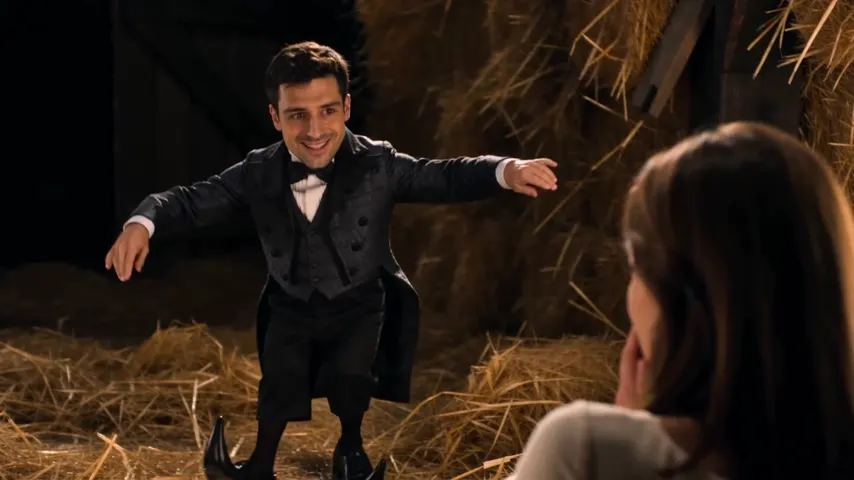
Two of us — two photos
Photo 1 becomes the little dancer, photo 2 the seated maiden. Same price as solo.

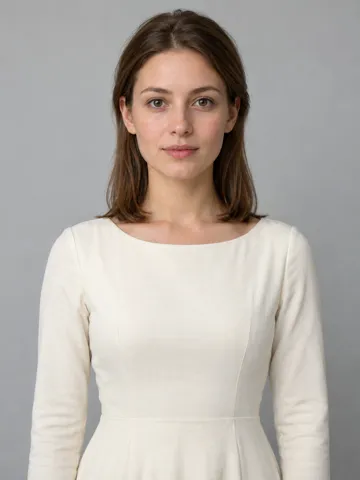
Check each role through the cuts
Play the clip once at normal speed before pausing individual frames. Follow the little dancer through the shush gesture, grin and wider dance shots. Check whether his identity persists through changes in distance and expression. Then follow the seated woman's reaction separately. A result may hold one face well and drift on the other; averaging the two into one broad claim of success can conceal the issue you care about most.
In solo mode, the woman's original appearance is deliberately retained. That is expected behavior, not an incomplete two-person replacement. In duo mode, both identities should correspond to their separate input photos without swapping between roles. Also check that a familiar hairstyle was not merely added to an otherwise unrelated face. The short dancer's reference body scale and scene clothing are intentionally preserved, so a small body wearing a tailcoat does not mean the full-body proportions of the uploaded photograph should appear.
Inspect movement, framing and the sound
The feet are an important part of this template. Watch whether the dancer actually alternates steps on the straw rather than sliding while his upper body moves. At cuts, look for unintended jumps in position or unexplained extra people. Compare the reaction order with the supplied reference: recognizable gestures alone are not enough if they appear in a different sequence. Minor generative differences can occur, so distinguish an imperfect recreation from a clip that no longer tells the intended joke.
Turn sound on before evaluating audio. Delivered files restore the original reference soundtrack after visual generation; a muted autoplay preview does not show that the download is silent. Our standard output retains the model's native frame rate. The solo web preview is separately interpolated for display, while the downloadable example is identified independently. If you plan to crop a landscape file for a phone post, check whether the woman, hands or dancing feet leave the frame. The file's resolution alone does not settle those questions.
Use examples to set a practical expectation
These examples demonstrate possible outcomes for their stated inputs, not a measured success rate for all adult photographs. Choose a clear, front-facing picture of one consenting adult per upload slot. Avoid screenshots, overlays and heavy filters that hide useful facial detail. A changed facial expression in the result can be part of following the reference performance; an identity that no longer resembles the input is a different concern. Keep the order confirmation and the delivered file if you need to ask support to review that concern.
You can watch and compare the examples for free. A personalized video is paid, starting at $6.99; solo and duo each use one video from your pack. Confirmed technical failures restore the spent credits, while a completed result with a quality complaint is reviewed under the refund policy. Private download links have a 7-day retention window, so save the MP4. Use the gallery to inspect full inputs and outputs, and use this analysis page as a checklist before deciding whether the product matches your expectations.